Automating tracking implementation guidelines with AI
Creating tracking implementation guidelines is a critical part of our job. It translates business requirements into the technical specs needed for accurate data collection. But let's be honest, it is also time-consuming and repetitive.
So, we decided to automate it.

Intro
At MultiMinds, we are constantly trying to improve our internal efficiency. By improving internal efficiency, I mean accelerating repetitive tasks with less manual effort, fewer errors, and more time for high-impact work. AI and automation tools play a significant role in this process. One of these tools is n8n. We selected this tool for its accessibility, and because it lets us quickly build and iterate on reliable workflows with minimal code.
At the moment we are developing and deploying multiple n8n workflows for different kinds of repetitive tasks and processes within our work at MultiMinds. One of those processes is the creation of tracking implementation guidelines. This article explains what those guidelines are, how we are automating their creation using n8n (*), and what we eventually want to achieve.
(*) The current setup reflects an evolving approach that will be further developed as we incorporate feedback and new insights.
Tracking implementation guidelines
Tracking implementation guidelines define how user interactions, events, and data points should be captured in a consistent and reliable way across websites and digital platforms. They translate business and analytical requirements into clear, technical specifications that describe what should be tracked, when it should happen, and how data is structured and named. These guidelines ensure that collected data is accurate, comparable, and trustworthy. At MultiMinds, the responsibility for defining these guidelines currently lies with our analytics implementation experts.
The process starts with an in-depth analysis of a client’s existing website and tracking setup. Our experts assess the current implementation, identify gaps or inconsistencies, and use these insights to create a tailored tracking implementation guideline. Once finalised, this document is handed over to the client’s web developers, who implement the required tracking events directly in the website code. After implementation, our team performs a thorough review to validate the setup and ensure everything works as intended. Once the tracking is approved and marked as successfully integrated, we can confidently start analysing user behaviour using our analytics stack, such as Google Tag Manager, Google Analytics 4, and cloud solutions like Microsoft Azure and Google Cloud Platform.
Creating tracking implementation guidelines is quite time-consuming for our analytics implementation team and includes repetitive work. That is why we decided to adopt an AI-automation approach for their creation process. The following requirements were listed for the n8n workflow in order to successfully realise this:
The final solution must be user-friendly and allow human-in-the-loop oversight to validate, correct, and refine decisions where needed.
The AI solution should result in a significant time reduction.
The workflow needs to have access to multiple internal tools (Slack, Confluence).
Well-defined guideline templates should be available on Confluence.
The final output needs to be a guideline proposal, not a finished one.
Automation via n8n
Although n8n is a low‑code automation tool, we refer to the overall setup as ‘tracking agent’ internally because that is how it is experienced by users (our implementation experts). Interaction happens through a Slackbot in one of our internal channels, making the system feel like a single agent rather than a workflow. Behind the scenes, this Slackbot is connected to an agentic n8n workflow that uses AI Agent nodes to reason over inputs and drive outcomes.
Current setup
Under the hood, the tracking agent is composed of the following components:
Slack
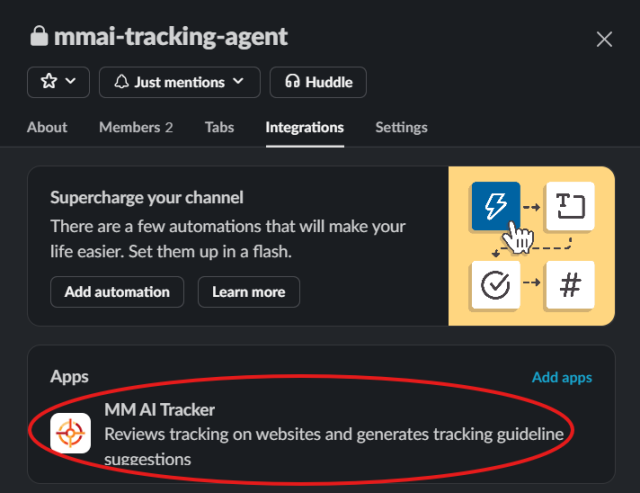
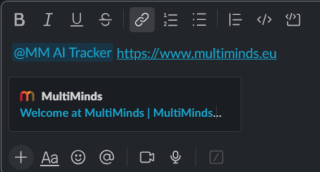
Communication with the agent happens through a dedicated Slackbot. When a user mentions the bot in a channel where it has been added, it triggers the n8n workflow. The workflow receives the user’s message as input, processes it, and then sends the outcome back to Slack. Depending on the step, the workflow can respond by posting messages (e.g., questions, status updates, or final outputs) and by adding/removing emoji reactions to indicate progress or completion.
Azure
We use an Azure Storage Account to log all outputs generated by the agent in blob files. By centralising this information, we can systematically analyse how the agent evolves over time, identify patterns or recurring issues, and validate improvements. The stored outputs also allow us to quickly retrieve previous responses when needed, which supports debugging and quality assurance.
Confluence
The agent uses Confluence (Atlassian) as both a reference library and the place where final guideline drafts are produced. It reads our existing guideline templates and website category templates so its suggestions follow our standards. We provide this access through a dedicated Atlassian service account. This account has the required user permissions: it can read the reference pages and create or edit draft pages where the agent writes its proposed tracking guidelines. The output remains subject to human review and approval before it’s considered final.
n8n
The n8n workflow mentioned earlier consists of two distinct parts: a main flow and a sub‑flow. Each flow has its own responsibility and is triggered at different moments, which I’ll briefly explain next.
Flow 1 (main)
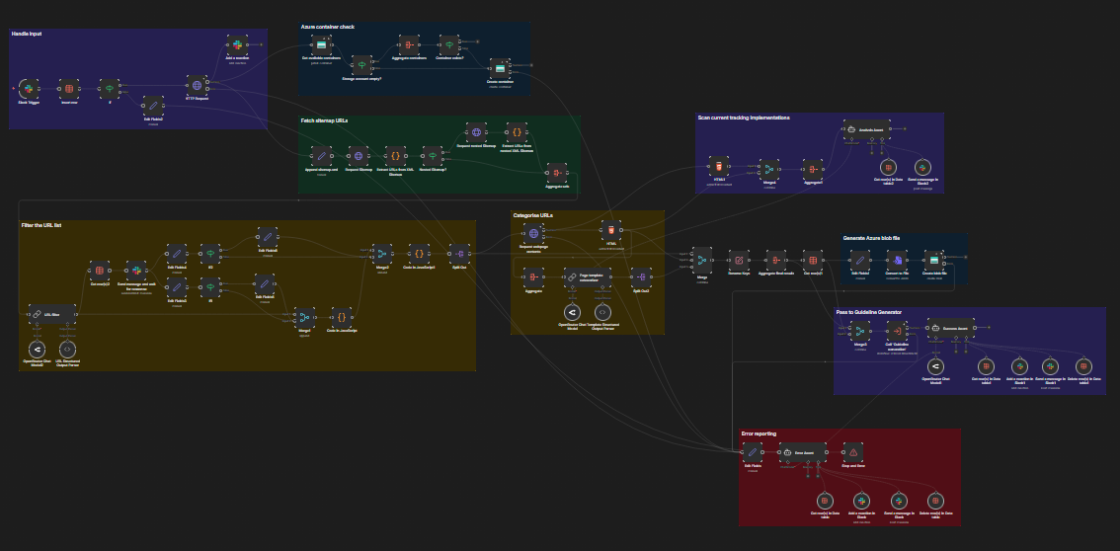
Triggered by an incoming Slack message, the main flow provides the following features:
Processes the incoming homepage URL
Provisions a dedicated Azure Storage container to store generated output as blob files (debugging)
Fetches and filter a website’s sitemap on unique and relevant URLs (used for tracking event suggestions)
Categorises the filtered webpages based on their HTML content and our internal webpage category catalogue
Communicates with the user through Slack
Triggers the sub-workflow
Flow 2 (sub)

Triggered by the main flow, the sub-workflow provides the following features:
Fetches our tracking guideline template on Confluence
Determines unique tracking events and event attributes based on the provided webpage URLs and categories (provided by the main flow)
Generates a tracking implementation guideline on Confluence using the suggested tracking events and event attributes
Stores generated output as blob files in the dedicated Azure Storage containers (debugging)
Passes the Confluence URL of the newly generated tracking guideline suggestion back to the main flow
Overall execution flow
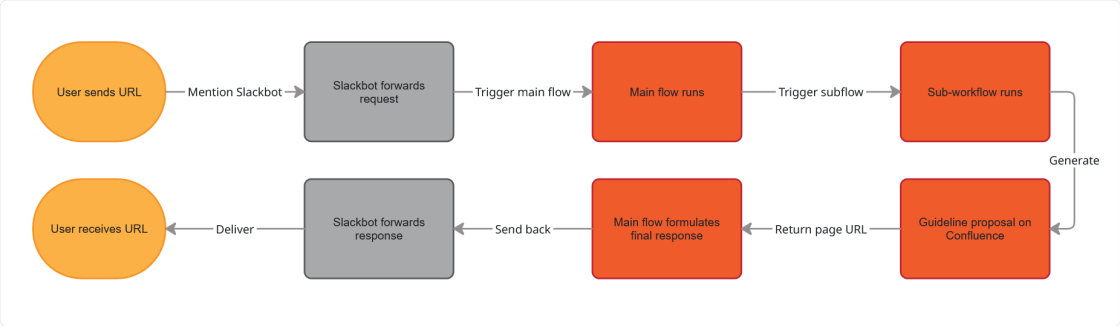
The user experience (in order)
Initial user request
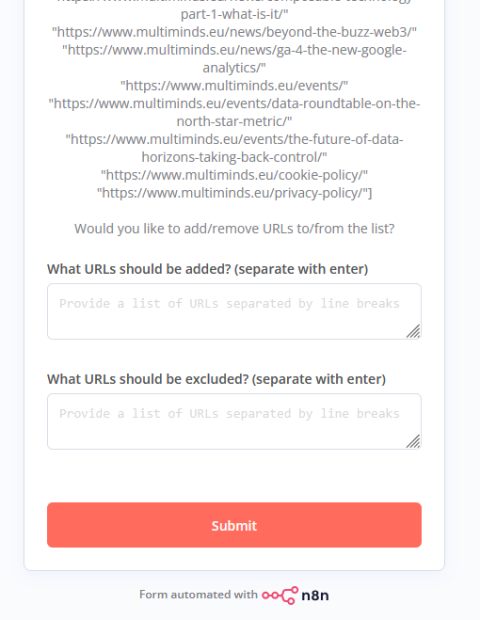
Requested user feedback on the filtered URL list
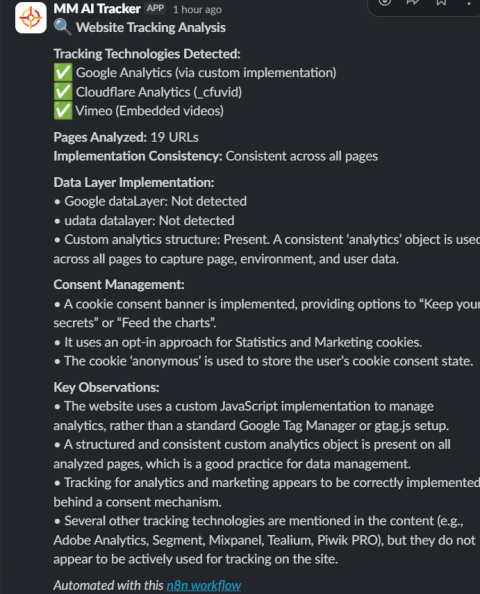
Tracking analysis agent output
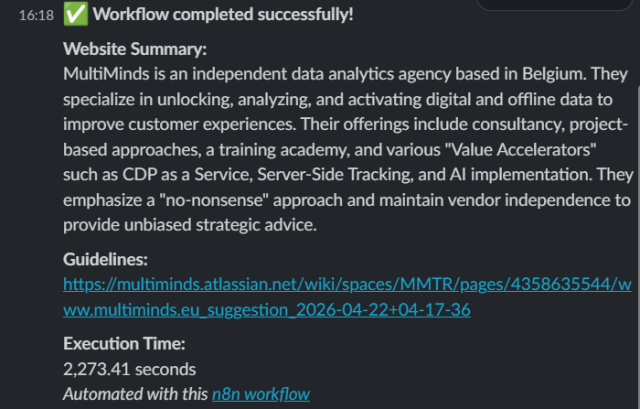
Final agent output
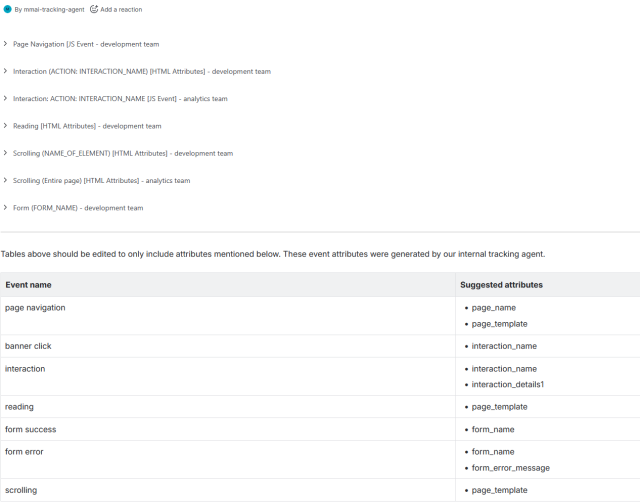
Resulting Guideline proposal (Confluence)
Once the guideline proposal is ready, the user can review and refine it directly in Confluence. This ensures the final review is always performed by a person rather than an AI agent, which fulfils our human-in-the-loop requirement and guarantees that every proposal is fact-checked before use.
Conclusion
Everything described in this article represents version 1 of our tracking agent. Even at this stage, the tracking agent is already making a difference. Implementation experts have a solid starting point rather than building from zero every time, resulting in meaningful time savings. On top of that, it gave us the chance to sharpen our templates and better understand the process as a whole.
However, there is still plenty of room for improvement. That is why we are actively gathering feedback from our analytics experts to guide the next iterations. Over the coming weeks, we will focus on the following areas of future work (in no particular order):
Strengthening the agent’s robustness by testing it across multiple client websites
Experimenting with different AI models and prompts to identify the best overall fit
Further enhancing the data analysis agent in the main n8n flow
Refining the structure and clarity of the guideline proposal composition in the n8n sub-workflow
Incorporating additional user feedback to continuously improve the overall user experience